Unreal Engine
Current development version
The world of
Where imagination becomes playable worlds.
Follow Elliscia’s real journey from her first Unreal Engine project to the worlds still waiting to be created.
 Currently creating in Unreal Engine 5.6
Meet the creator
A young game developer learning how ideas become characters, mechanics and playable worlds.
Online, I create as Cipher_E, my screen name for the games, ideas and worlds I build through Miravale Studios.
I am currently working through the Software Academy Level 1 3D Game Design course, using Unreal Engine 5.6. I have completed two of the three Level 1 projects and I am building my skills one project at a time.
Miravale Studios is where I document the real journey, including what I learn, what I create and every milestone I reach along the way.
Current achievements
These cards show where I am now. They will grow as I learn new skills and complete more projects.
Current development version
3D Game Design course
One Level 1 project remains
A home for every world I build
Current learning journey
A practical three project course studied through Software Academy, using NCFE developed learning content and Unreal Engine.
2 of 3 projects completed
Current software, Unreal Engine 5.6
Released
Released
Not started yet
An honest record of progressI have completed two of the three Level 1 projects. My course is now 75% complete, with the final Level 1 project still to complete.
Project archive
Every project begins as a lesson, then becomes something I can build, explore, test and improve.
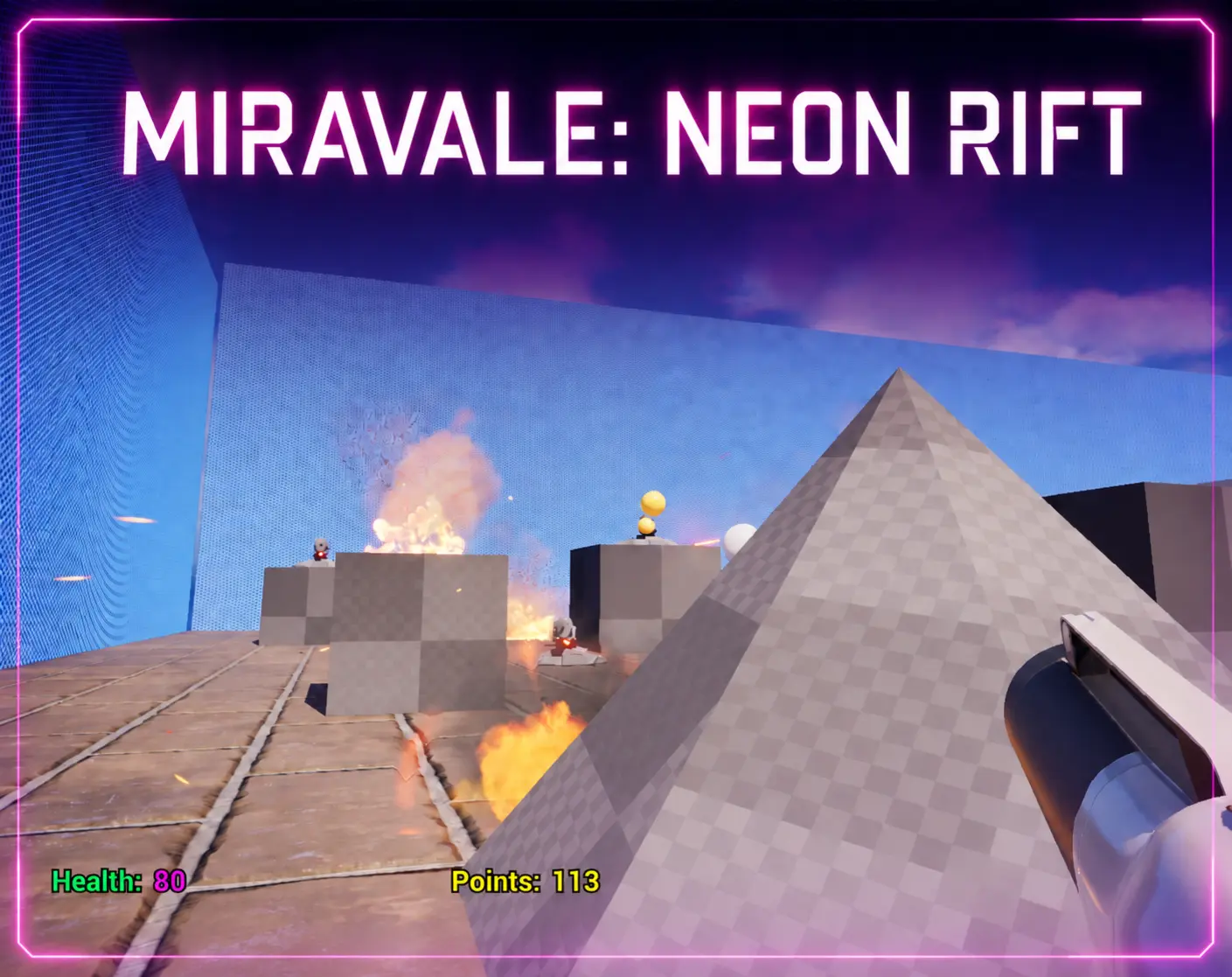
For my first project, I created a first person shooter game in Unreal Engine 5.6. I built a futuristic training arena with enemies, collectable coins, player health, fire, lasers and dangerous obstacles. This project introduced me to the foundations of 3D game design and taught me how different gameplay systems work together.
Software Academy feedbackSoftware Academy confirmed that Elliscia successfully completed her first 3D Games Design project, with her tutor commenting that she had done a great job.
Windows may display a Microsoft Defender SmartScreen message because this is a newly published independent game. Select More info, check that the application name matches the downloaded game, then select Run anyway.
Once you are in gameplay, press Alt + F4 to exit the game.
Inside the project
This case study shows the game from two sides, what the player sees and the Unreal Engine systems working behind it. These are real screenshots from my completed Project 1 in Unreal Engine 5.6.
I designed the level as a series of connected challenges using combat, collectables, moving platforms, fire and laser hazards.
I worked on the level layout, gameplay systems, hazards, enemies, scoring, player health and the interface that shows information during the game.
I arranged the arena and challenge areas to create a route through the game.
I added enemies, coins, platforms, fire, lasers and teleport areas.
I connected Blueprints controlling points, damage, movement and the end of the level.
I played the game, checked each mechanic and changed systems that did not behave as intended.
Each example shows a real Blueprint from Neon Rift and explains the gameplay feature it controls.
I created a HUD for health and points, then connected the final point to the win screen so the player can complete or restart the game.
Finding and fixing unexpected behaviour was part of completing the game.
I tested the mechanics while playing, found things that needed changing and tested them again after each adjustment.
These skills are supported by the project screenshots and working game rather than being listed on their own.
The complete arena layout and connected challenge areas.
Working collection, enemy, damage, movement and teleport systems.
Health, points, enemies, coins, hazards, platforms and level completion.
A HUD showing live health and points, plus a completed win screen.
Playing the level, checking mechanics and testing changes again.
Correcting the fire damage and coin counter so both worked as intended.
This project showed me how Blueprints can connect player actions, scoring, health, hazards and level events. I also learned why I need to play, test and change a mechanic until it behaves the way I intended.
The current build is available as a free download for Windows PC.
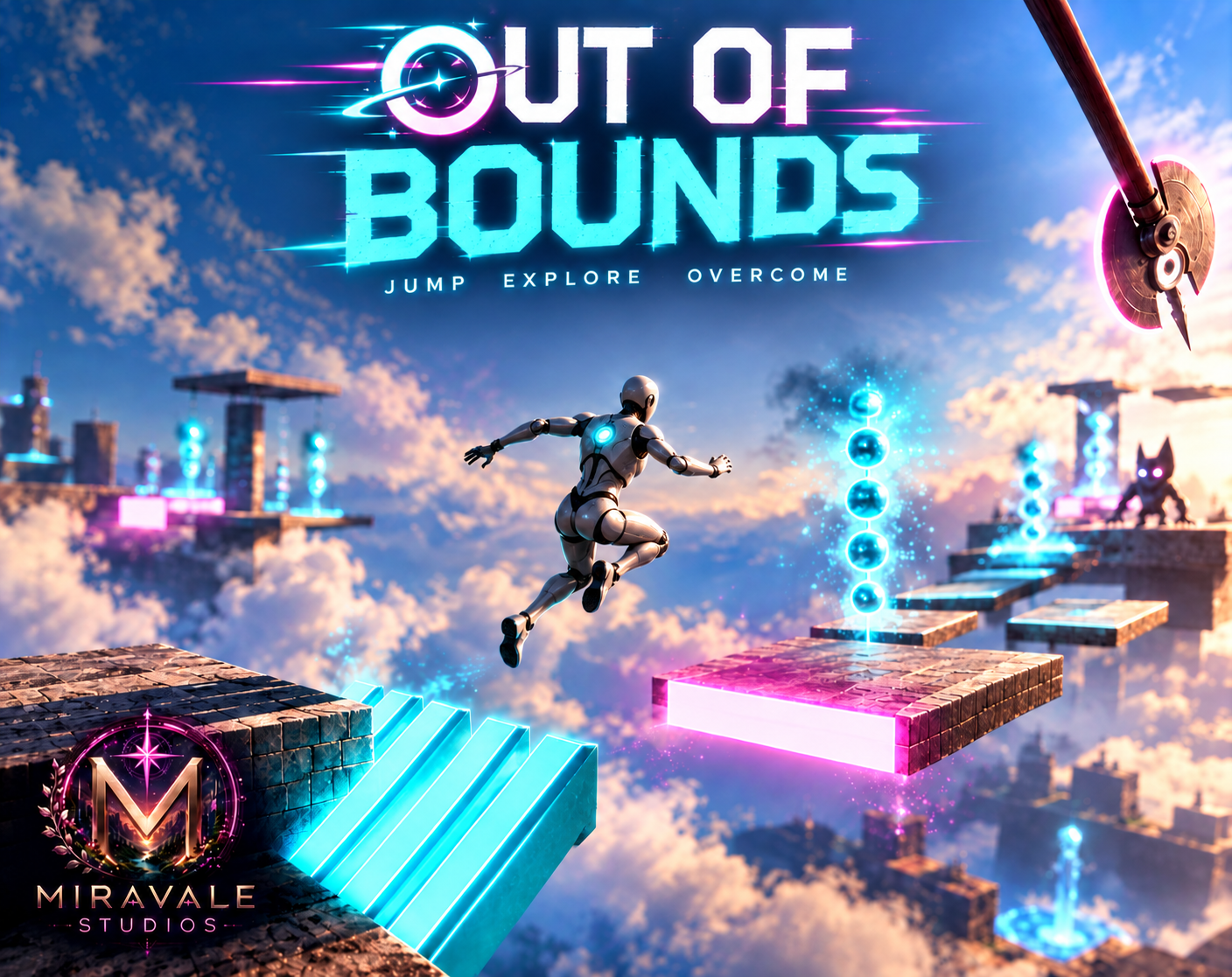
For my second project, I created a side scrolling platform game high above open sky. I built a complete route across floating platforms with moving hazards, enemies, checkpoints and custom character flips, then tested and refined each section.
Completed Project 2This finished Windows game is supported by real gameplay screenshots, a complete level view, Blueprint graphs, timelines and documented problem solving.
Windows may display a Microsoft Defender SmartScreen message because this is a newly published independent game. Select More info, check that the application name matches the downloaded game, then select Run anyway.
Once you are in gameplay, press Alt + F4 to exit the game.
Inside the project
This case study shows the finished game and the Unreal Engine systems behind it. These are real screenshots from my completed Level 1, Project 2 in Unreal Engine 5.6.
I built a route through floating platforms, timed hazards, enemies and checkpoints, ending with a clear completion screen.
I created the route and its gameplay systems in Unreal Engine 5.6, then tested and refined the finished level.
The completed platform route and bird’s eye editor view.
Obstacles, enemies, falling blocks and checkpoints.
Event graphs, timelines, flips and respawning systems.
Changes I made after playing and checking the level.
These real Event Graphs show how I controlled moving hazards, enemies, projectiles and platforms throughout the level.
I used separate timelines for the front flip and back flip. The bird’s eye view shows how the finished course rises through its connected challenges.
I used the course instructions as my starting point, then experimented with my own ideas and kept testing until the game behaved the way I wanted.
I changed the usual colour choices so the game connects to my character and reflects my own style.
Instead of using the traditional red for danger, I made the danger blocks blue to match the glowing beacon in the robot’s chest.
Instead of using the traditional green for checkpoints, I made them pink because it is my favourite colour.
The colours still help different objects stand apart, but they now belong to the look of Out of Bounds rather than following the usual choices.
The falling block and flip movement both changed through repeated testing rather than working perfectly the first time.
Each skill is supported by the finished game, screenshots, Event Graphs and timelines shown in this case study.
The editor overview and bird’s eye view show the complete route across floating platforms.
The Event Graphs and timelines control hazards, enemies, projectiles, platforms and flips.
The working game includes checkpoints, moving hazards, enemies and timed challenges.
I repeatedly played the level and adjusted timing, rotation and movement.
I corrected infinite upward movement, sideways spins and clipping through platforms.
I changed the difficulty, colours and movement to make the project my own.
I learned that I can start with the course instructions and still make my own design choices. When a new idea does not work straight away, I can research it, test different settings and keep improving it until it works the way I imagined.
The completed build is available as a free download for Windows PC.
For my final Level 1 project, I will explore another game genre and create a third person shooter. I will use this project to practise, combine and improve the skills I developed throughout Level 1.
Skills in progress
Creating environments, placing assets and shaping playable spaces.
DevelopingUsing visual scripting to connect actions, events and gameplay.
DevelopingBuilding health, pickups, hazards and player interactions.
DevelopingTesting what works, finding issues and making careful fixes.
DevelopingMission log
I completed and released my second Unreal Engine project, a side scrolling platform game with floating platforms, hazards, enemies, checkpoints and custom front and back flips.
I reduced the fall delay to one second and the respawn delay to two seconds, making the platform challenge quicker and harder.
After testing different nodes and settings, I corrected infinite upward movement, sideways spinning and platform clipping until both flips worked properly.
Research, testing and independenceI used ChatGPT to research possible ways to build the flips, then tested and adjusted the ideas inside Unreal Engine until they worked correctly in my own game.
Qualifications and achievements
This section shows my current Software Academy pathway. I will only mark a qualification as achieved after I have completed every requirement for that level.
I have completed two of the three Level 1 projects required for this award.
My planned next stage after successfully completing Level 1.
The planned final stage of my current Software Academy pathway.
Official documentation will be held privately and shared directly with education providers or employers when required.
Stay with the journey
Miravale Studios is only at the beginning. I will continue adding new skills, projects and playable worlds as I learn.
I’m Elliscia, and I create online as Cipher_E.
contact@miravalestudios.co.uk